
Connect Instantly, Chat Privately,Stay Secure
A modern messaging app designed for privacy-first communication. Real-time chats, secure connections, and seamless cross-platform experience.
- Real-time messaging
- Privacy-first
- Cross-platform
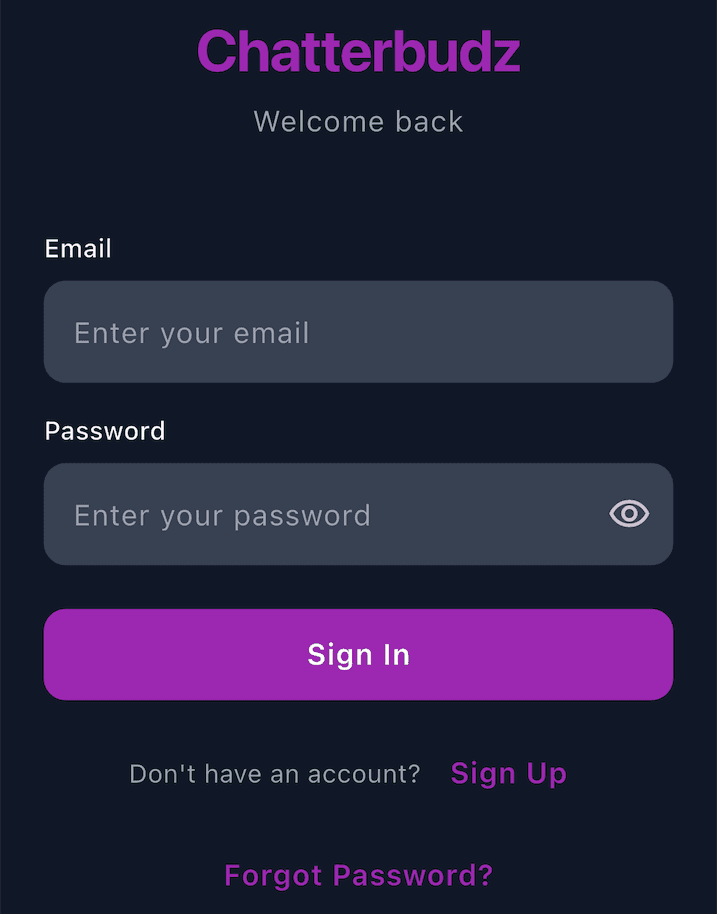
Key Features
Everything you need for modern messaging
Built with privacy, security, and user experience at the core. Real-time messaging that works seamlessly across all your devices.
Real-Time Messaging
Experience instant messaging with live message delivery. Messages appear in real-time as they're sent, creating a fluid conversation experience across all your devices.
- Instant message delivery
- Live typing indicators
- Real-time synchronization
Smart Friend Management
Connect with friends securely through email-based search. Privacy-first approach ensures you can only find users with their complete email address.
- Email-based friend search
- Privacy-protected contacts
- Send friend requests
Direct & Group Chats
Start one-on-one conversations or create group chats with multiple participants. Organize your conversations effortlessly.
- Direct messaging (1-on-1)
- Group chat creation
- Message previews
Read Receipts & Status
Know when your messages are delivered and read with WhatsApp-style indicators. Control your privacy with customizable status settings.
- Delivered status (grey tick)
- Read status (purple tick)
- Last seen timestamp
Smart Notifications
Stay connected with customizable push and email notifications. Essential emails (signup, password reset) always go through.
- Push notifications
- Email notifications (optional)
- Granular controls
Beautiful, Responsive Design
Enjoy a consistent experience across all devices. Beautiful Material Design 3 interface that adapts to your screen size.
- Mobile-optimized
- Desktop three-panel layout
- Tablet-friendly
Security & Privacy First
Built with security at its core. Your data is protected with industry-standard encryption and privacy controls.
- Secure authentication
- Row Level Security (RLS)
- Encrypted transmission
Customizable Preferences
Control your experience with comprehensive settings and preferences for notifications, privacy, and themes.
- Profile management
- Notification controls
- Privacy settings
How It Works
Get started in minutes and start connecting with friends securely.
Sign Up & Get Started
Create account with email, verify, and set up your profile
Connect with Friends
Add friends via email search or send invitations
Start Chatting
Send messages in real-time, one-on-one or in groups
Manage Conversations
View history, check status, and organize your chats
Customize Experience
Adjust settings, notifications, and privacy preferences
For Individual Users
- Privacy-first communication
- Real-time connection
- Cross-platform sync
- Modern, beautiful design
- Free to use
For Privacy-Conscious Users
- Email-based search (no directory)
- Database-level security (Row Level Security)
- Privacy controls for status
- Secure authentication
- Private contacts list
For Power Users
- Group chats support
- Read receipts & status
- Customizable settings
- Responsive design
- Smart notifications
Frequently Asked Questions
Everything you need to know about Chatterbudz Chat.
Who can use ChatterBudz Chat?
ChatterBudz Chat is designed for users 13 years of age and older. It's a general-purpose messaging application focused on privacy-first communication for adults and teens.
How is my data protected?
Chatterbudz Chat uses Row Level Security (RLS) at the database level, ensuring that users can only access their own data and conversations. All data transmission is encrypted.
Can others see my contact list?
No. Your contacts remain completely private. Friend search requires a complete email address and doesn't expose user directories.
Can I use Chatterbudz Chat on multiple devices?
Yes! Chatterbudz Chat is available on iOS, Android, and Web. Your conversations sync across all platforms in real-time.
How do read receipts work?
Read receipts show when your message is delivered (grey tick) and when it's read (purple tick). You can disable this feature in settings if you prefer privacy.
How do I add friends?
Click 'Add Friend' and enter their complete email address. If they're on Chatterbudz, you can send a friend request. If not, you can invite them via email.
Is Chatterbudz Chat free?
Yes, Chatterbudz Chat is completely free to use with no subscription fees or hidden costs.
Ready to start chatting?
Download Chatterbudz today and connect with your friends securely. Available on iOS, Android, and Web.
iOS and Android apps coming soon to App Store and Google Play